Palette
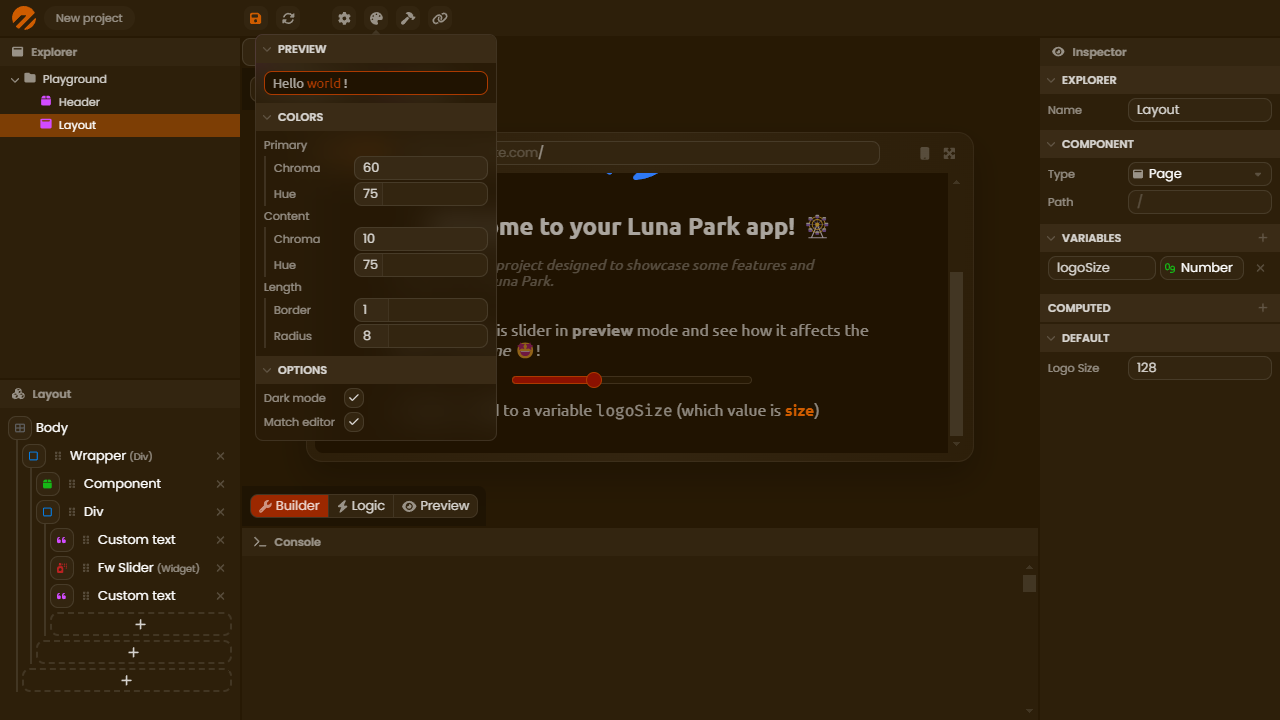
The palette defines the global colors of your application. It controls all hues used by components, backgrounds, and text.
You can access the palette via the button in the top bar of the editor. The main colors (primary, secondary, content) can be modified at any time. Associated shades and gradients are automatically generated to ensure visual consistency throughout the application.
The Match editor option allows you to apply the same colors to the editor interface. Useful for reducing visual fatigue during design.
Responsive strategy
The palette also defines the responsive strategy of the application: desktop first or mobile first. It determines the direction of media queries applied in your styles.
For a breakpoint set at 1024px:
- Mobile first: the rule applies to screens ≥ 1024.
- Desktop first: the rule applies to screens ≤ 1024.
Note: The palette serves as a base for your color tokens: any global change is automatically reflected there.