Database
Luna Park ships a SQL database inside the editor. No server, no setup: you create tables, store rows, and query them from the graph.
pglite
The DB is a pglite instance (Postgres compiled to WebAssembly). All standard Postgres SQL works: types, constraints, joins, subqueries, CTEs.
Tables
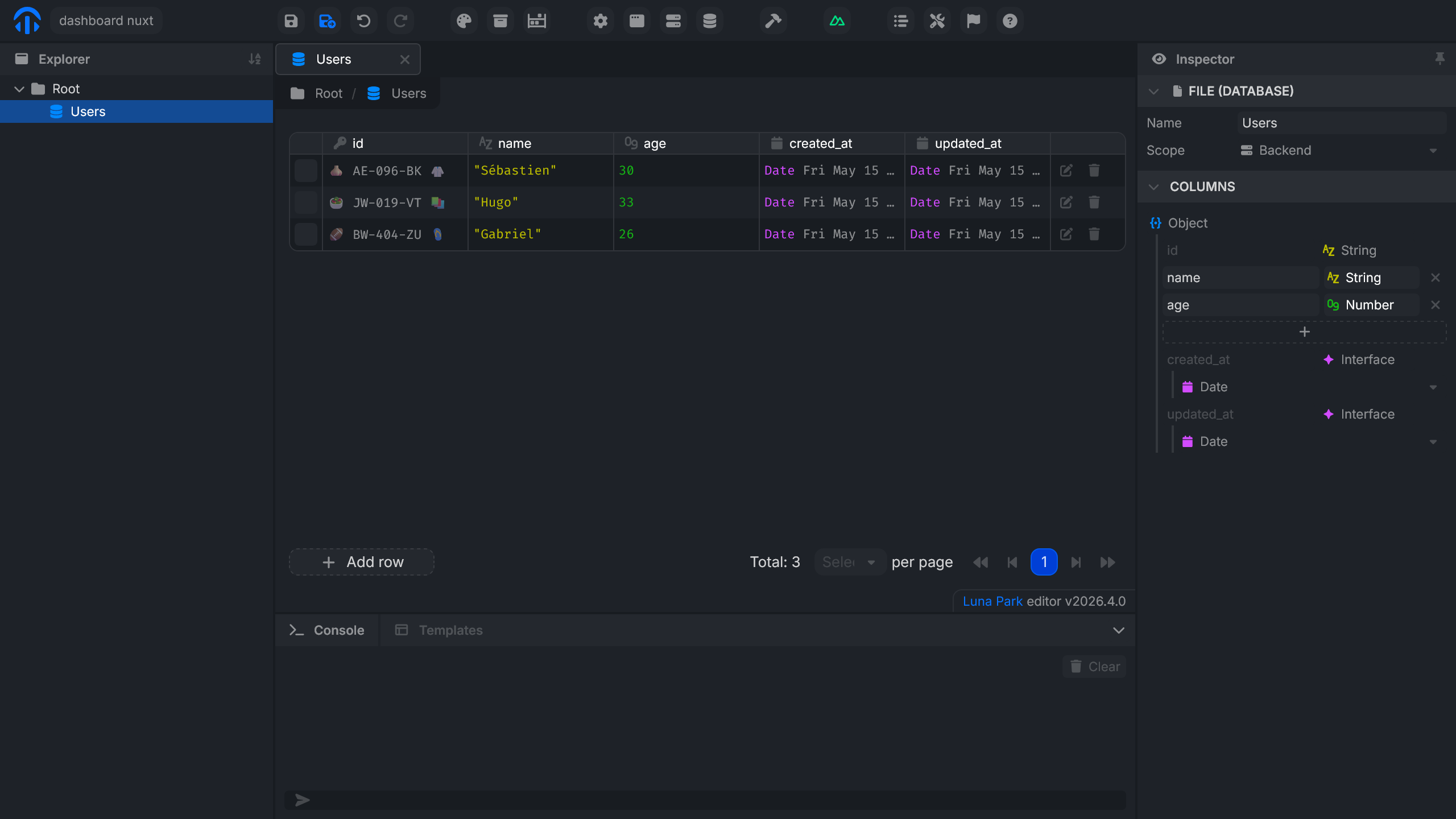
A table holds rows typed by columns. The Database panel lets you:
- create a table and define its columns (name, type, constraints);
- add, edit, or delete rows manually;
- inspect the contents in real time.
The id, created_at, and updated_at columns are added automatically to every table.
Querying the database
Database nodes are used inside a route's graph (see Routes), not directly in a frontend component's graph. The route wraps the query and exposes it to the interface.
Specialized nodes
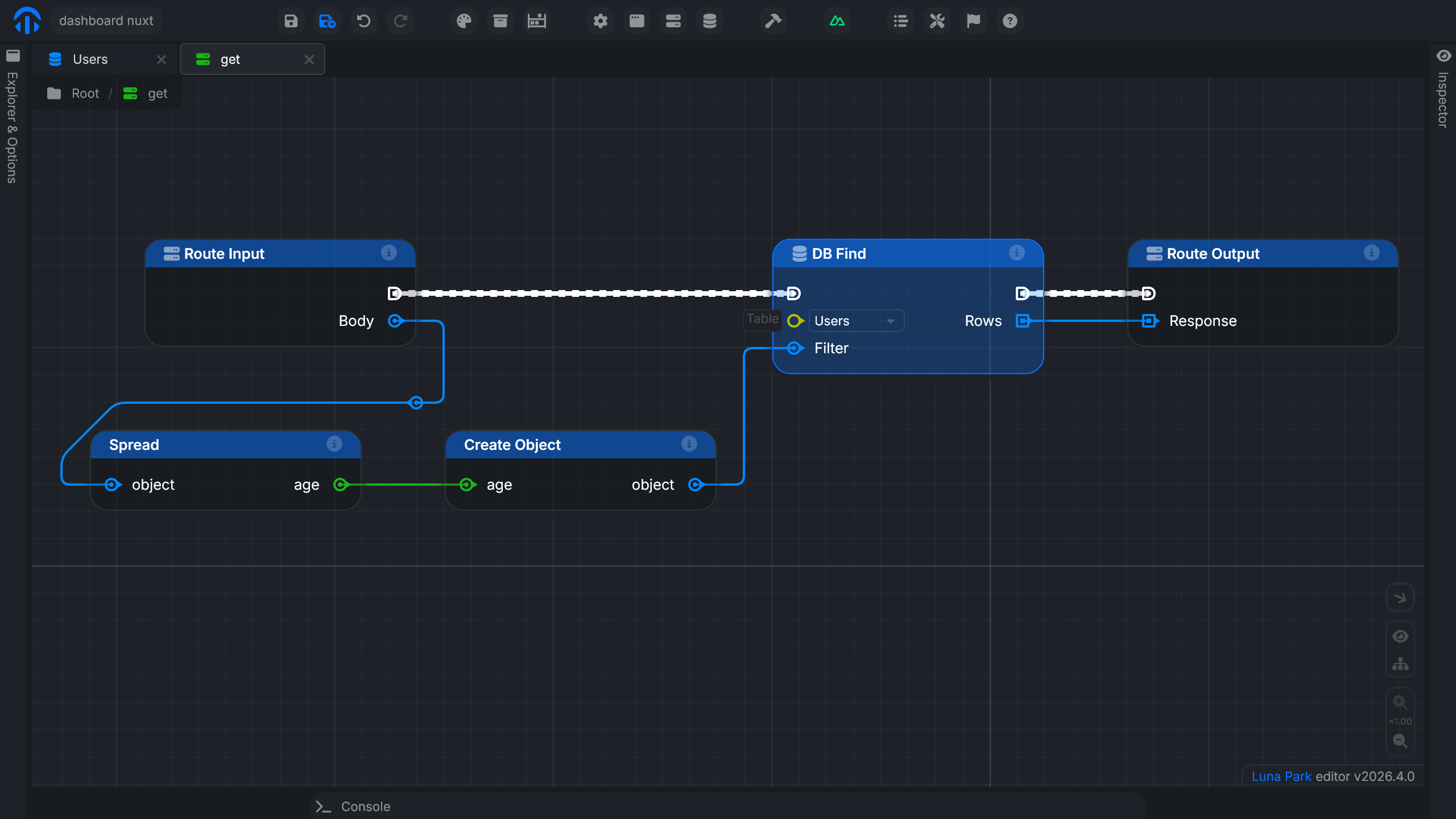
Luna Park provides one node per common SQL operation. Configuration is visual (table, parameters, filters), and the SQL is generated behind the scenes.
| Category | Nodes |
|---|---|
| Read | DB Find, DB Find by Id, DB Group By, DB Join |
| Write | DB Insert, DB Update |
| Delete | DB Delete, DB Delete by Id |
Parameters plug into the input anchors: an id coming from a variable, a filter value coming from an input, etc.
Build a query
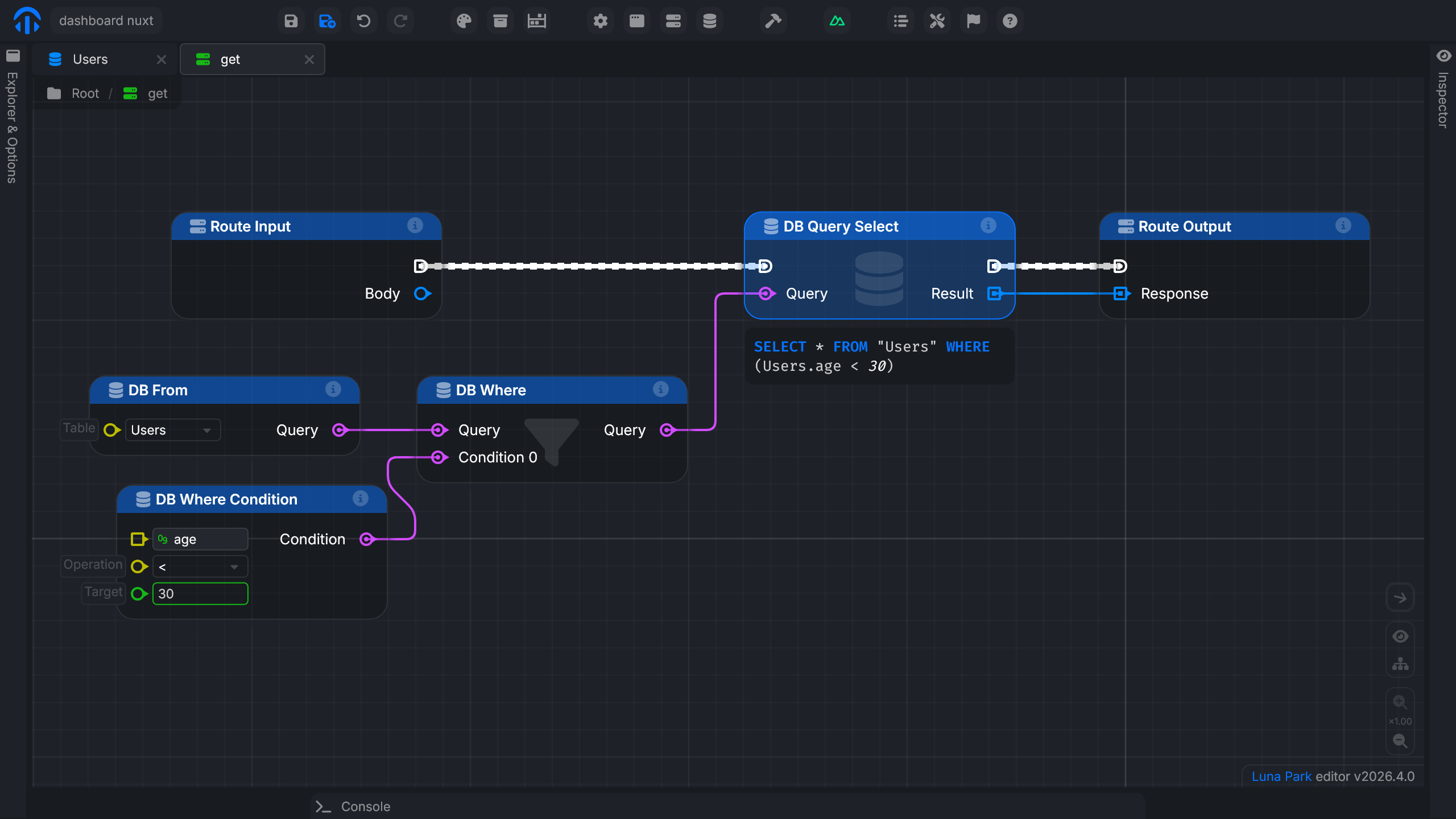
For more precise queries, Luna Park provides nodes that chain together: each node represents a SQL operation and exposes a Query output that the next one can consume.
The starting point is always DB From, which selects the table. You then plug in the nodes you need:
| Node | Role |
|---|---|
DB From | Selects the source table |
DB Where | Filters rows based on one or more conditions |
DB Where Condition | Defines a condition (field, operator, target value) |
DB Order | Sorts the results |
DB Group By | Groups rows by value |
DB Join | Joins another table |
DB Aggregate | Computes an aggregation (COUNT, SUM, AVG...) |
DB Create Query | Combines multiple conditions with a logical operator (AND, OR, NOT) |
DB Query Select | Executes the query and returns the results |
For example, to fetch users under 30: a DB From points to the table, a DB Where Condition defines age < 30, a DB Where receives the query and the condition, and a DB Query Select runs the whole thing.
Query preview
To see the SQL that actually runs, select the DB Query Select node and click Preview in its config.
Preparing the articles table
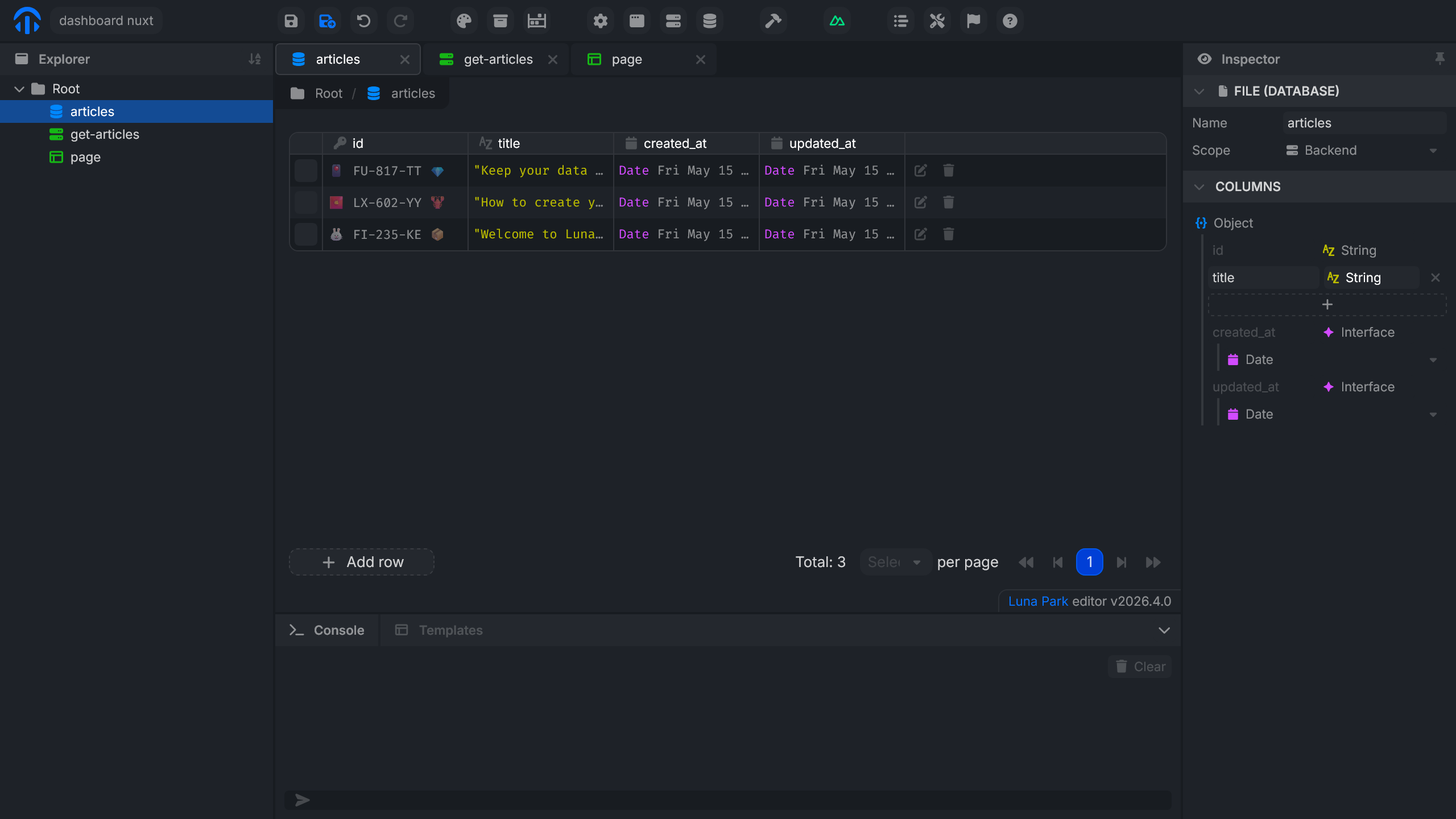
To follow the guided example on the Routes page, create an articles table:
- Open the Database panel.
- Create an
articlestable with atitlecolumn (text). - Insert a few test rows.
The rest (exposing these articles through a route and rendering them in the interface) is covered on the Routes page.