Routes
A route is an HTTP endpoint defined in Luna Park. It wraps server-side logic (database queries, computations, transformations) and exposes it to the interface, which can call it like a function.
Creating a route
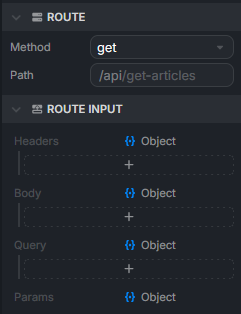
In the Explorer, right-click and pick New > Route. Two main properties:
- HTTP method:
GET,POST,PUT,DELETE,PATCH. - Path: the endpoint path. By default it matches the route name (a
get-articlesroute is exposed at/api/get-articles).
Anatomy of a route
A route's graph runs from an input node to an output node. In between, you wire the logic: DB nodes, operations, conditions, etc.
Input
The input node exposes the data received by the route on four optional anchors:
headers: HTTP headers (auth, content-type...).body: request body (typical forPOST,PUT,PATCH).query: query string parameters (?id=5&limit=10).params: path parameters (/articles/:id).
You pull what you need and pass it to the downstream nodes. For example, an id coming from params can feed a DB Find by Id.
Output
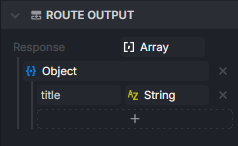
The output node receives what the route sends back to the caller. Whatever you plug into its anchor becomes the HTTP response body.
Calling a route from the interface
Every time you create a route, Luna Park automatically generates a node named after it (get-articles, create-user...). You use it directly inside a frontend component's graph: its output holds the response, ready to wire into the interface (for example a Template to loop over it).
Guided example: display a list of articles
This example starts from an articles table (see Database to create it), creates a get-articles route that reads it, and renders the results in the interface.
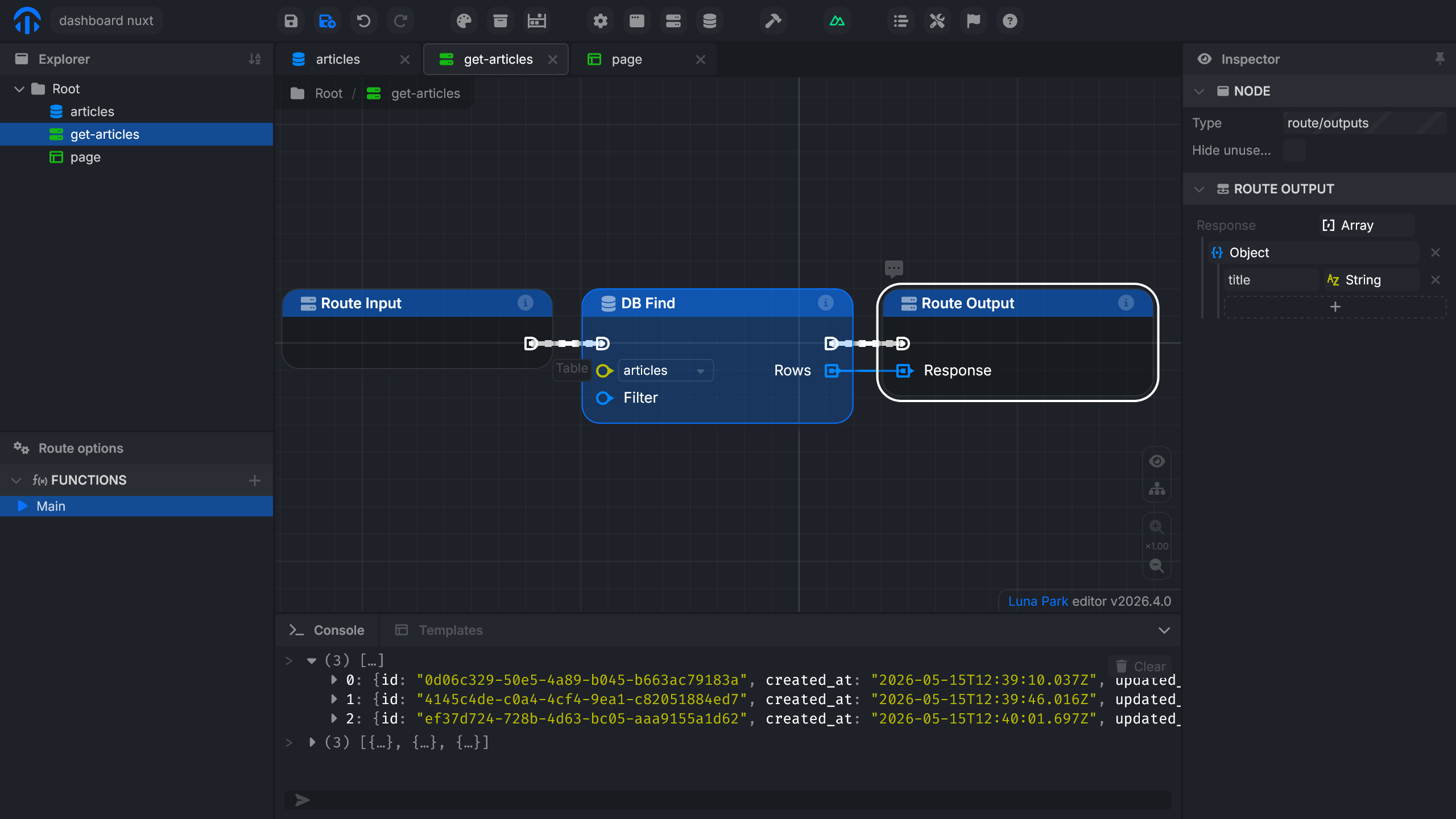
1. Create the get-articles route
- Create a route named
get-articles. - In its properties, pick the
GETmethod. - In the route's graph, add a DB Find node on the
articlestable. - Wire the DB Find output to the route output.
- Set the output
Responseto anArrayofObject.
2. Call the route from the interface
In the page, create an
articlesvariable typed asArrayofObjectwith atitlefield (string). This way only the titles show up in the interface, withoutid,created_at, orupdated_at.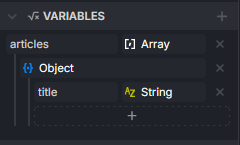
In the graph, add an
On Mountednode to trigger the call on page load, then add theget-articlesnode and wire its output toSet articles.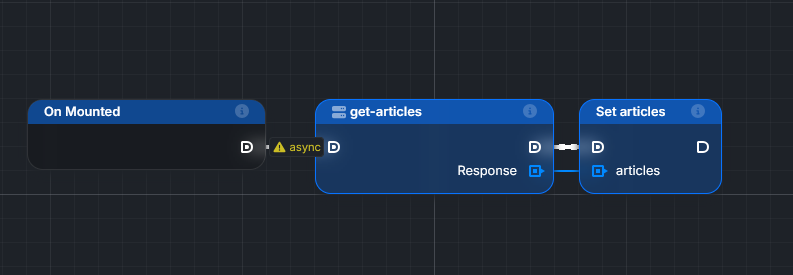
Add a
Templatecomponent (Forloop) in the interface and bind it to thearticlesvariable.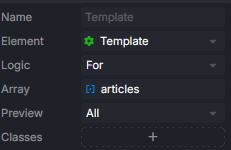
Inside the template, create a
Block, then add a variable bound toTemplate[].value.titleto display each article's title.![Text inside the template bound to Template[].value.title, with the list of titles rendered](/assets/template-title.TDoMCbhd.png)